
Connect your own AI
Your AI, now withyour training in it.
Connect ChatGPT or Claude to Overload. Snap your plate and the calories land in your diary. Ask how your month went. Get tomorrow's workout from the lifts you actually did.
Works with ChatGPT and Claude.
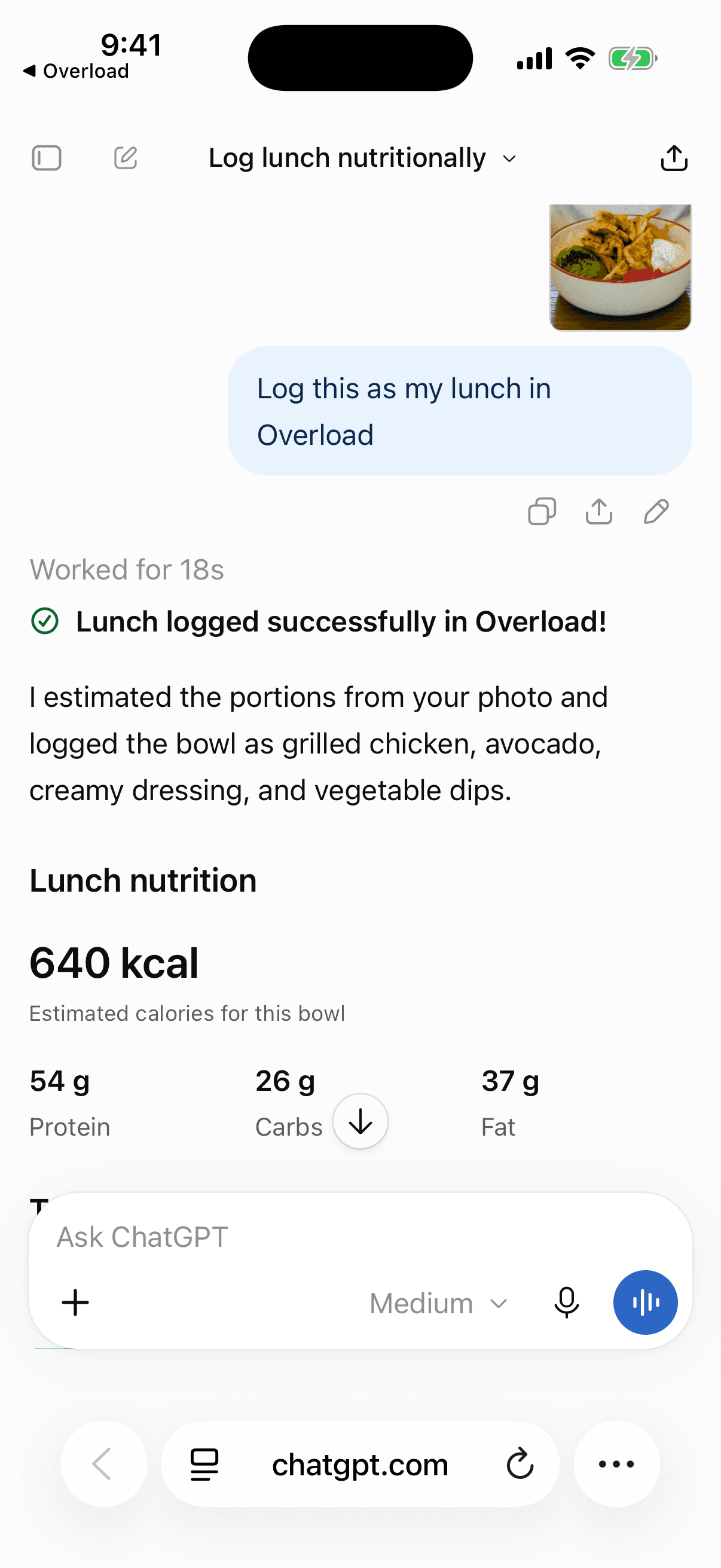
“Log this as my lunch in Overload”
Real chats, real numbers
It reads your diary before it answers.
Your food, workouts, lifts and weight, straight from Overload. No copying numbers, no explaining your week.
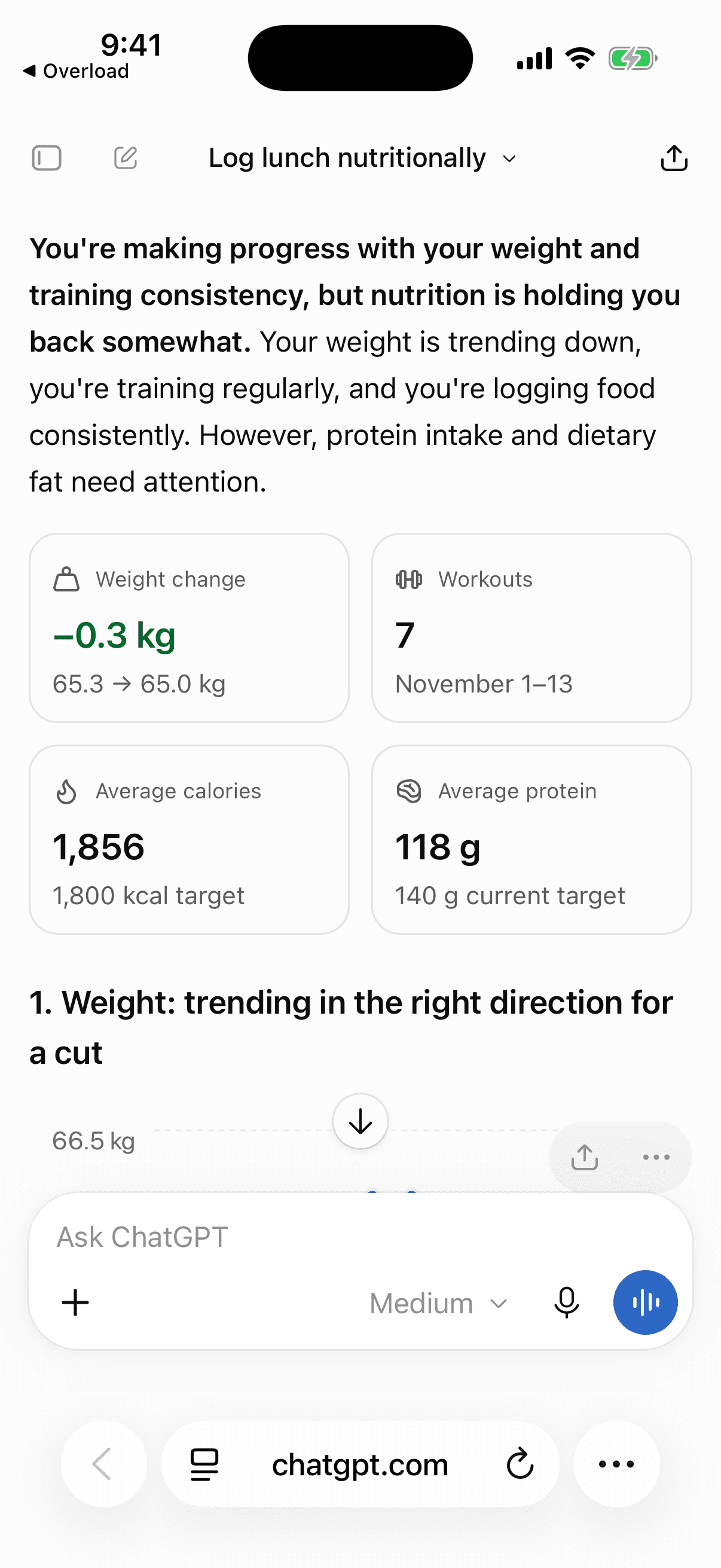
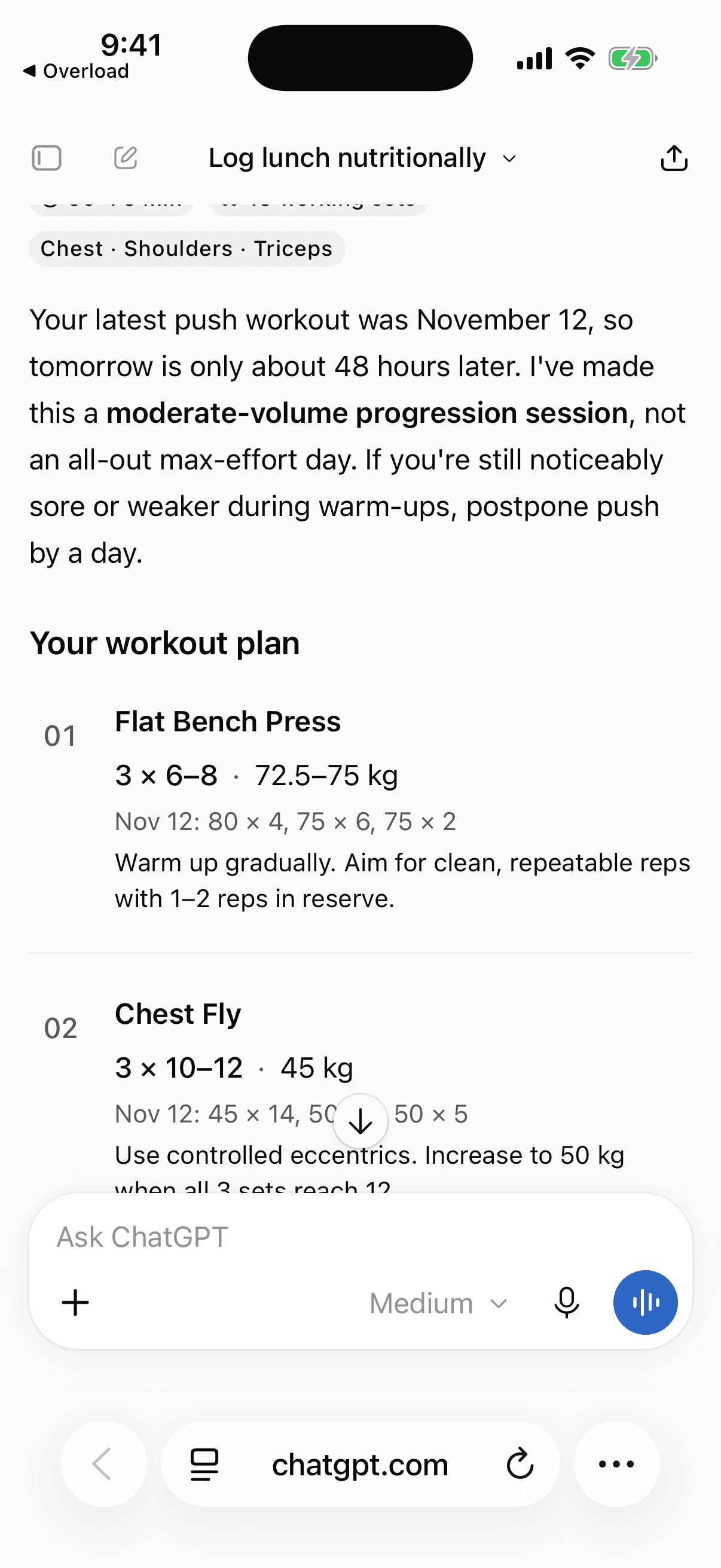
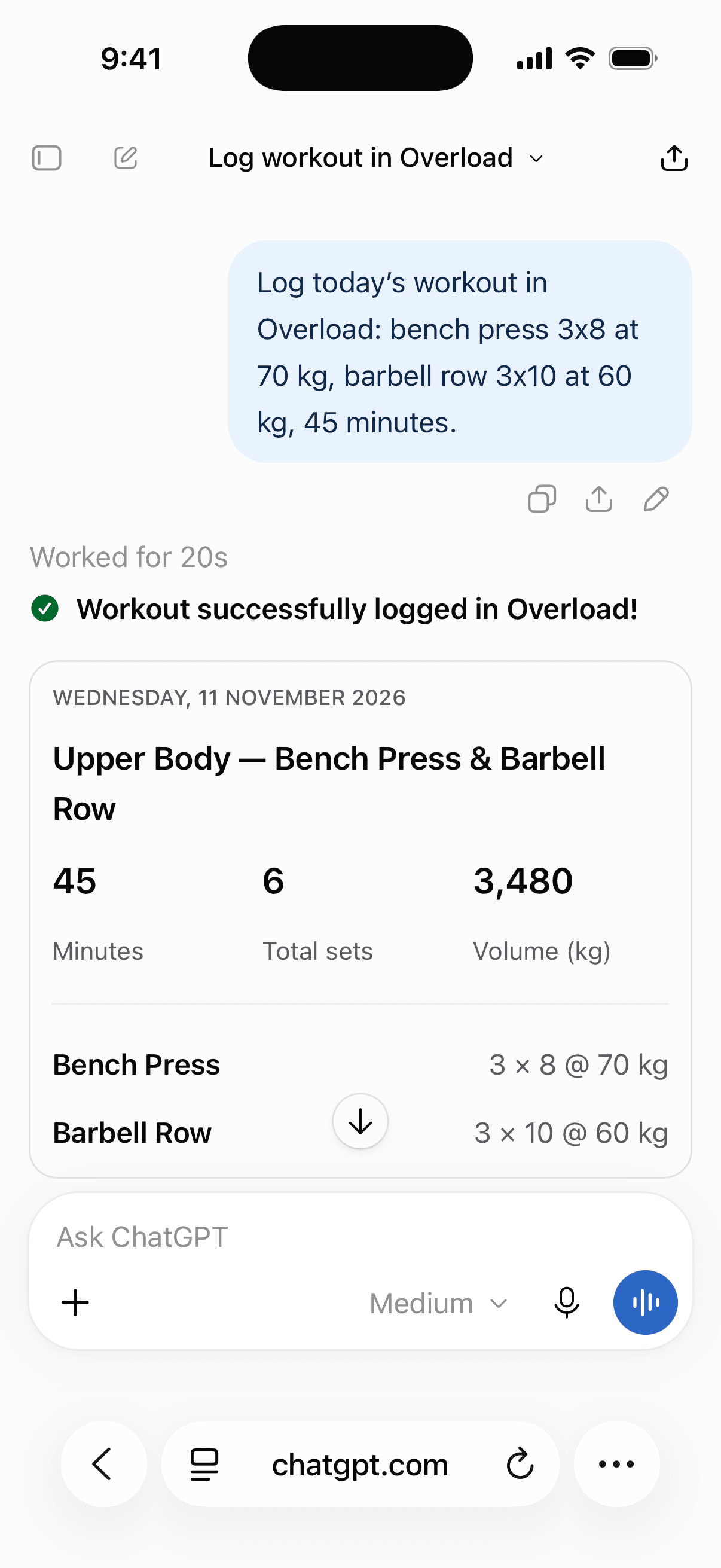
Workouts your AI writes stay in the chat. Save routines and plans in the app with Drona.
Set it up
Connect in 2 minutes
Copy this link, add it to your assistant, and sign in with your Overload account.
Your connector link
Claude
- On claude.ai, open Connectors from Customize or Plugins.
- Click Add, then Add custom connector. Name it Overload and paste the link.
- Click Connect, sign in with your Overload account, and click Allow.
ChatGPT
- On chatgpt.com, open Settings, then Apps or Plugins.
- Add a custom app or MCP server named Overload. Paste the link and choose OAuth. If prompted, enable developer mode.
- Create the app, then choose Connect. Sign in with your Overload account and allow access.
What your AI can do
- Log food to any meal, with calories and macros, from words or a photo
- Log a finished workout, set by set
- Fix a logged food or workout
- Read your food days, weekly totals and targets
- Read your workouts, lift history, weekly volume and body weight
Then try
- “Log this as my lunch in Overload. (with a photo)”
- “Log 2 eggs and toast for breakfast.”
- “How did my bench press move this month?”
- “Was I under my calories this week?”
The connector is part of Overload Pro. ChatGPT setup and available actions depend on your plan and workspace settings. Either assistant can delete only entries logged through the connector. Disconnect any time in your assistant’s settings. Workouts logged through the connector earn no XP.
What you share with ChatGPT or Claude is handled by OpenAI or Anthropic under your account with them. See our privacy policy.